
 LinkBack URL
 About LinkBacks

Note : Jon, could you change the title please ? : "Laser Compound-Slide Angle Setting", thx !
It's been a while I had in my drawer this little magnetic level, with a laser pointer.
While finding the gadget quite funny I didn't know exactly what to do with it, and I think I have found the good use for it :
It can be used as a laser pointer to precisely set up the angle of the compound slide of the lathe.
In my shop, just at the right hand of my lathe, I happen to have an old cabinet wall. I discovered I could use it as a kind of ruler to precisely mark some remarkable angles of my compound slide, if I simply attach the magnetic laser level to the side of the slide, and if I put my apron and cross slide at a reference location.
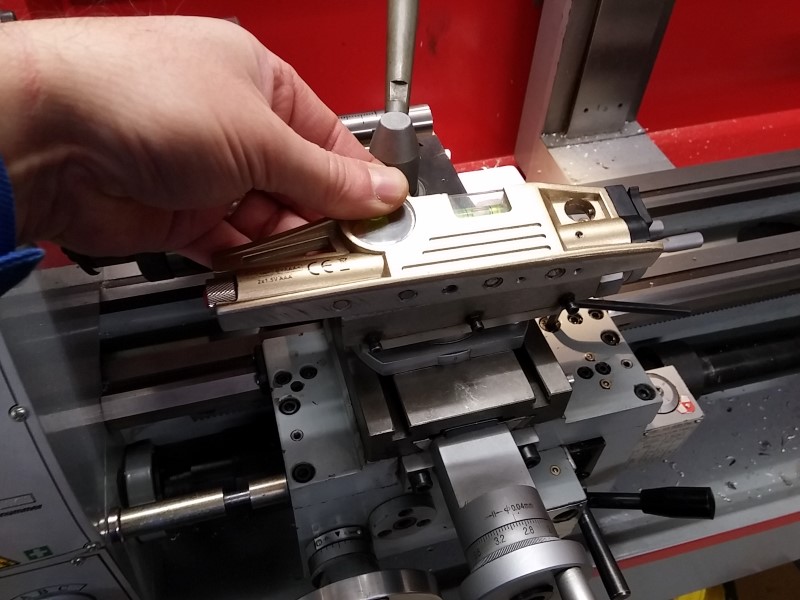
Here is the laser level with its magnetic base :
And here is where I install it : aligned just above the screw for setting up the gibs.
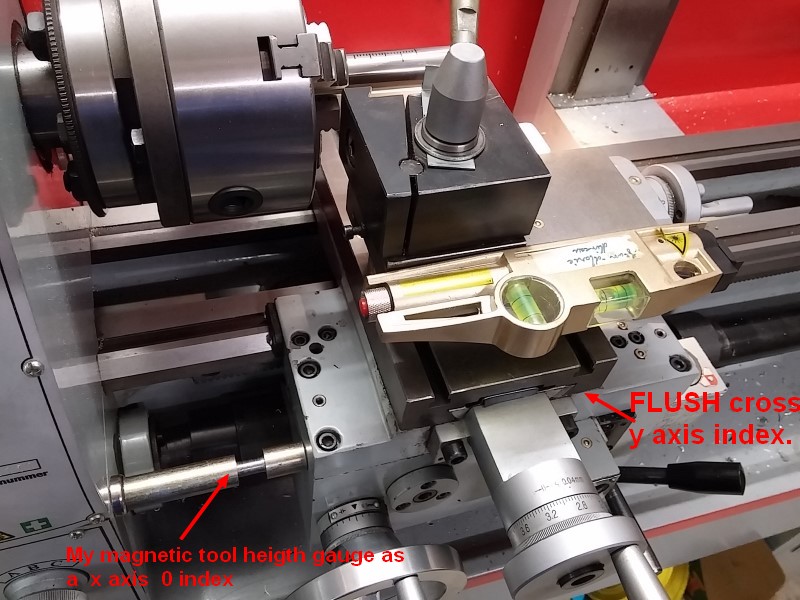
As a convention, I set up my reference location like so :
- For the Z axis, I stick my magnetic tool height gauge (see previous post) on the the side of the lathe head and use it as a stop for the apron.
- For the X axis, I set up my cross slide so that the table is just flush to the apron (see the red arrows on the picture).
(In above pic, please read Z instead of X and X instead of Y)
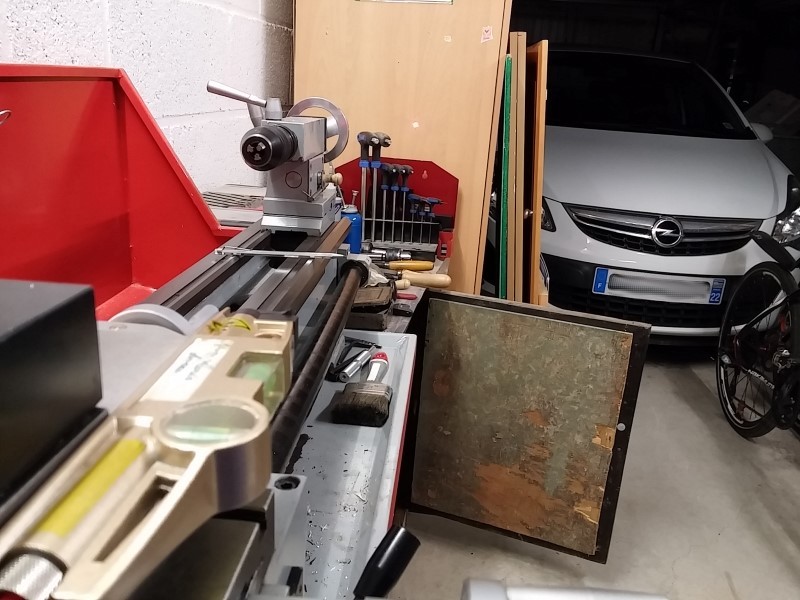
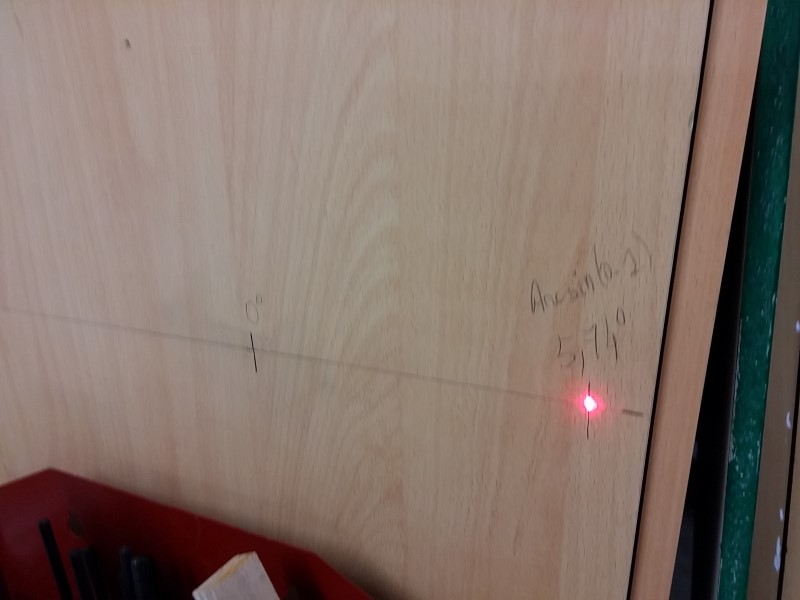
Here you can see the beam on the wall of my cabinet. Notice that the farthest the wall would be, the more precise the reference would be.
So I set up my compound angle to zero degree using a dial and thus I could mark on the wall the exact zero degree position.
Having measured the distance from the wall and the axis of the compound, I can then calculate and mark any remarkable angle I would like to quickly set up.
Offset = distance x tan(alpha)
Here for example I marked the famous 5.74°, which correspond to Arcsin(0.1), see this great post from tonyfoal
Of course, if I need wider angles, I could screw, maybe with an hinge to be able to fold it back, a kind of ruler extension to the wall of my cabinet.




 Reply With Quote

Bookmarks